Wrong pattern attempts
can leave a photo.
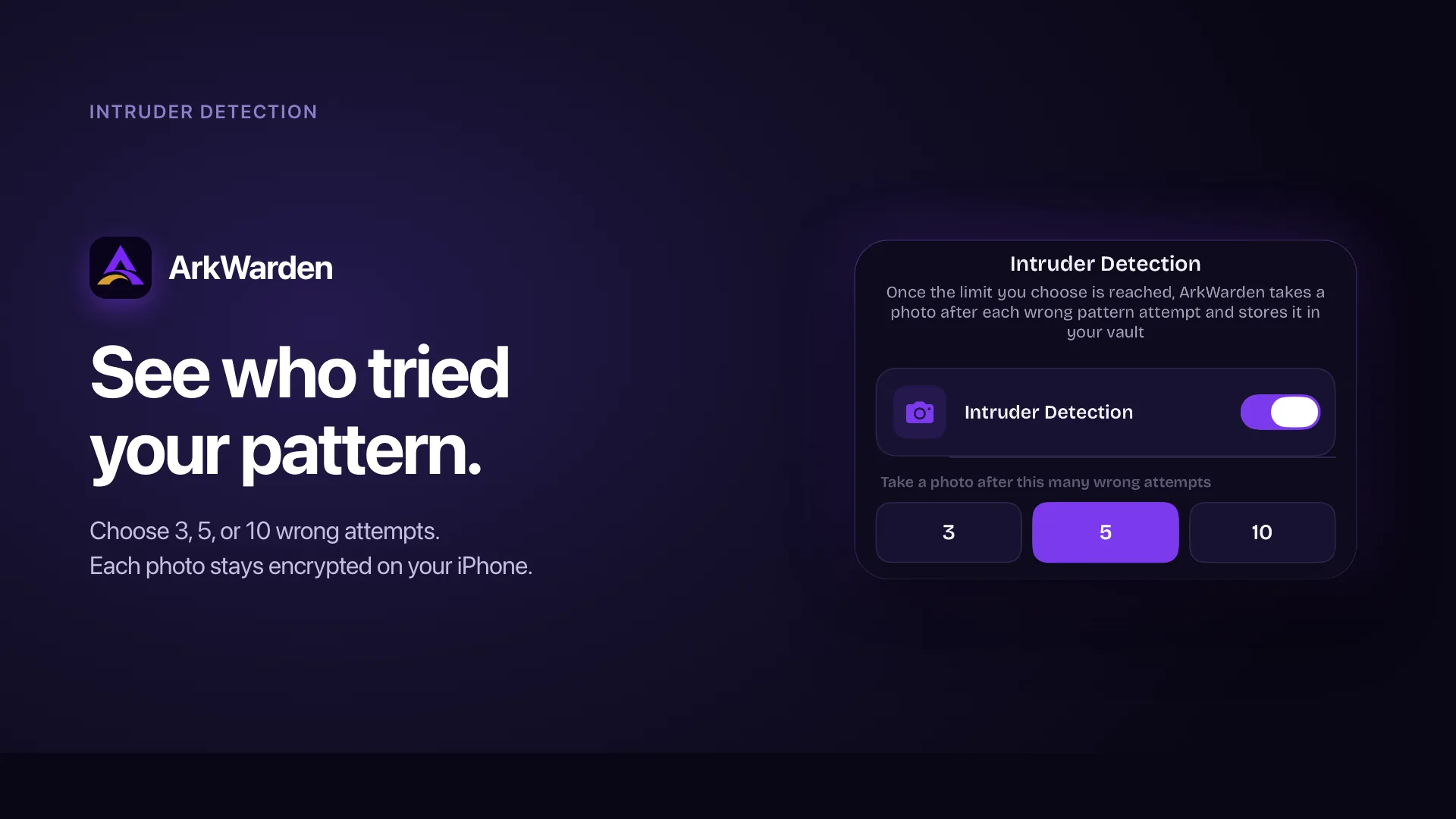
Intruder Detection is optional and off by default. In Settings you turn it on and choose 3, 5, or 10 wrong pattern attempts. Once that limit is reached, ArkWarden takes a front-camera photo after each wrong attempt and stores it encrypted on this iPhone, outside your normal vault files. You review those photos in Settings.
Off by default
Nothing is captured until you enable Intruder Detection and allow camera access.
3, 5, or 10
You pick how many wrong pattern attempts must accumulate before photos begin.
Encrypted on device
Each photo is encrypted and kept on your iPhone. Captures are not part of a vault backup.
How Intruder Detection works.
You turn it on once. After that, wrong pattern draws past your chosen limit leave an encrypted photo you can review later.
Turn it on in Settings
Open Settings and tap Intruder Detection. Flip the toggle on. The first time, iOS asks for camera access. If you decline, or later revoke access in iPhone Settings, ArkWarden cannot capture photos until camera access is restored.
Until you enable the feature, failed unlocks behave as they always have: the grid clears, attempts are counted toward lockout, and no photo is taken.
Choose 3, 5, or 10 wrong attempts
Under the toggle you pick when photos should start: after 3, 5, or 10 wrong pattern attempts. The default choice is 5. You can change it any time while the feature is on.
Once the count reaches your limit, ArkWarden takes a photo on that attempt and on every wrong attempt after it. Pattern lockout still applies after 10 failed attempts, so capture stops when the unlock screen locks for 15 minutes.
A wrong pattern can trigger a silent capture
When someone draws a pattern that opens neither your main vault nor Wing, ArkWarden counts a wrong attempt. If Intruder Detection is on and the count has reached your limit, it briefly uses the front camera and stores an encrypted photo.
There is no camera picker and no capture screen on the lock screen. The person trying patterns does not get an in-app prompt. iOS may still show its system camera-in-use indicator while the session runs. That indicator is an iOS signal ArkWarden cannot hide.
Review and delete photos in Settings
Open Intruder Detection again to see Captured Photos. Tap a photo to view it, or select photos to delete them. Clearing the history removes the captures you choose. It does not turn the feature off, and it does not remove the Intruder key used for future captures.
Encrypted on this iPhone, separate from your file grid.
Intruder Detection has to work on a wrong pattern, when your vault master key is not in memory and cannot be derived. The design follows from that constraint.
A dedicated key, not your vault master key
A wrong pattern never unwraps the master key that encrypts your ordinary files. That is intentional. So Intruder Detection uses its own random key, created when you enable the feature and stored in the iPhone Keychain as device-bound material. Each capture is written with AES-256-GCM under that Intruder key.
Outside the normal vault categories
Captures have their own encrypted index. They do not appear in Photos, Videos, Documents, or Audio, and they are not mixed into folders. The only place to browse them is Settings, Intruder Detection. Your everyday vault stays the place for files you chose to import.
Turning it off keeps the history
When you turn Intruder Detection off, ArkWarden stops taking new photos. Existing captures stay until you delete them. The Intruder key also stays, so turning the feature back on does not require a new setup. Only a full vault wipe removes the key and every capture together.
Not included in backup
Optional iCloud Backup and file export cover your main vault and Wing. They do not include the Intruder Detection index or capture files. The Intruder key is bound to this iPhone and does not travel with a backup, so captures remain a record on the device where the wrong attempts happened.
What people usually ask next.
Is Intruder Detection on by default?
After how many wrong attempts does ArkWarden take a photo?
What happens when I turn Intruder Detection off?
Are the photos encrypted?
Do the photos show up with my other vault files?
Are Intruder Detection photos included in a backup?
Does the person trying wrong patterns see a camera screen?
Do I need to allow camera access?
Can I delete captured photos?
Does drawing the Wing pattern count as a wrong attempt?
What happens to captures if I move to a new iPhone?
Situations where a capture record helps.
Know when someone
tried your pattern.
Turn on Intruder Detection in Settings, choose 3, 5, or 10 wrong attempts, and keep an encrypted photo record on your iPhone. It stays off until you decide otherwise.
Point your camera at the code.