Draw a pattern.
Open your vault.
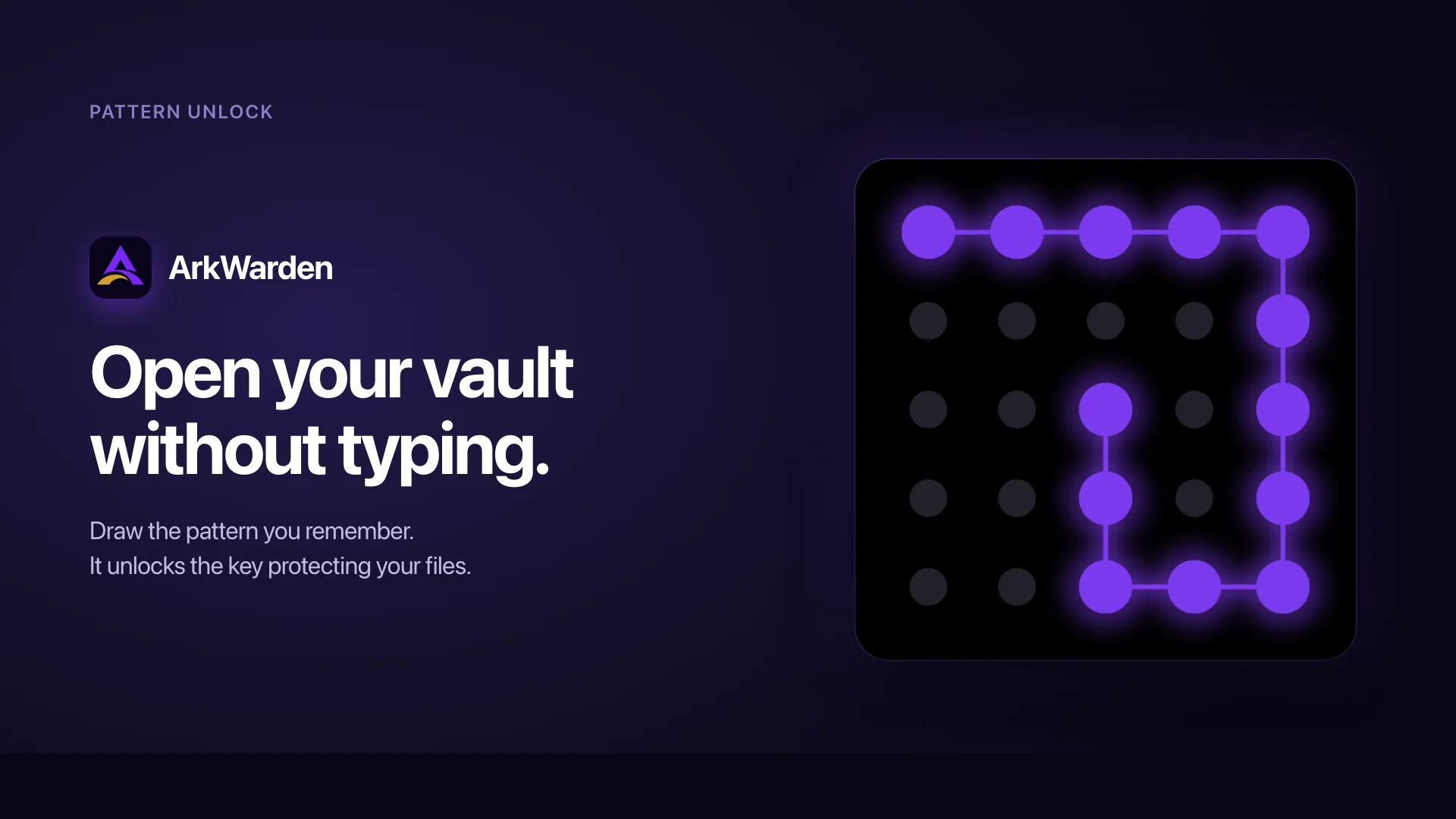
Pattern unlock is how you open ArkWarden every day. You draw a pattern on a 5x5 grid, and ArkWarden strengthens it with your iPhone’s Secure Enclave. Your vault is protected by the pattern you know and the phone you use. No typing, no account, no server.
From the first dot to an unlocked vault.
Pattern unlock looks simple on screen by design. Behind that gesture, ArkWarden checks your pattern, your vault, and your iPhone before the vault opens.
You touch the first dot
ArkWarden records each dot you touch and the order you touch them in. That sequence is your pattern.
A new pattern must use at least six different dots and two direction changes. If it is too short or too simple, ArkWarden asks you to choose a stronger one. You can use more dots if you want a longer pattern.
ArkWarden creates the unlock key
ArkWarden unlocks your vault and strengthens it with your iPhone’s Secure Enclave. This security chip provides a key that cannot be copied out of the device. Your vault is protected by your pattern and your iPhone together.
Unlock stays quick on your iPhone. Guessing cannot move to a faster computer, because each attempt needs a Secure Enclave key that cannot leave your phone.
The key opens the vault
ArkWarden does not store your pattern. It stores your master key encrypted under a key derived from your pattern and a Secure Enclave key that cannot leave your iPhone. What happens instead:
- The master key for your vault is stored in the Keychain, encrypted so only the right unlock key can open it.
- ArkWarden tries to unlock the master key with the key created from your pattern and your iPhone.
- If the key is correct, the master key unlocks.
- If the key is wrong, decryption fails and the vault stays locked.
The vault opens only when that key successfully opens the master key.
Your vault opens
After the master key unlocks, ArkWarden can show your files. If you have a second factor enabled, such as Face ID, a PIN, or a YubiKey, ArkWarden checks it before opening the vault.
When you lock the app or close it, the unlocked master key is released from memory. The next time you draw your pattern, ArkWarden runs the unlock calculation again.
Why a pattern beats a password for daily use.
A strong password does not help if it is too difficult to use every day. Pattern unlock works because it is fast enough that people actually use it.
| A 4-digit PIN | A typed password | Face ID alone | Pattern unlock | |
|---|---|---|---|---|
| Time to unlock | About a second | Two to five seconds | Under a second | About a second |
| Possible combinations | 10,000 | Depends on the password (often weak) | Not applicable | Grows with every added dot on the 5x5 grid |
| Copied-vault guessing | Depends on app | Depends on app | Not applicable | Requires your iPhone |
| Resists shoulder surfing | Poor. Easy to read four digits. | Poor. Visible keyboard taps. | Excellent. | Good. Speed and shape complexity make recall difficult. |
| Resists smudge inspection | Limited. Numbers smear obviously. | Good. Many keys touched. | Not applicable. | Good. Dots show but not the order or direction. |
| When someone forces you to unlock | Only one key. No alternative. | Only one key. No alternative. | Forces you to look at the camera. | A second pattern opens a second vault instead. |
| If you forget | Reset, usually with no consequence | Reset, usually via email | Falls back to passcode | BIP-39 recovery phrase you set during setup |
Remembering a movement is easier than remembering a password.
People forget passwords. They rarely forget a repeated hand movement. Pattern unlock uses the same kind of motor memory. After a few uses, your hand draws the pattern faster than your mind can describe it. Patterns drawn from muscle memory are difficult to dictate, difficult to write down, and difficult for someone watching to copy at speed.
Speed is a security feature.
Every extra second on the unlock screen is a second when someone else might observe you. You are looking at the phone, the phone is awake, the contents are within tap distance, and other people may be able to see the screen. An unlock method that is simple enough to become part of your daily routine is more secure in practice than a twelve-character password that requires several extra steps to retrieve.
The unlock is also the key.
Most apps separate the unlock step from the encryption. You type a password, the app confirms that it matches, then loads files that were already readable on disk. In ArkWarden, the pattern helps unlock the master key. There is no readable file state before the pattern is drawn.
What the unlock screen is actually doing.
None of this is required to use ArkWarden, but if you want to verify our claims, this explains the system after the gesture. See the full security overview.
What ArkWarden requires of your pattern
| Rule | Value | Why |
|---|---|---|
| Minimum different dots | 6 | Filters out very short patterns like a single line or a small L shape. |
| Minimum direction changes | 2 | Prevents straight-line patterns and the predictable corner-to-corner shapes that dominate published lock-pattern datasets. |
| Grid size | 5x5 | Gives you more possible routes and longer patterns than a six-digit passcode. |
ArkWarden rejects new patterns that do not meet these minimum rules.
What happens on every unlock attempt
The unlock screen collects your pattern and loads the random salt for your vault from the iOS Keychain. ArkWarden runs PBKDF2 at 600,000 iterations to turn your pattern into a key. It then combines that key with a secret from the Secure Enclave key created when you set up your vault. The combined result unlocks your master key. If that succeeds, the master key enters memory and the vault opens. If it fails, the grid clears for another try. A second factor check runs after a successful unlock, if you have one enabled.
The Secure Enclave key cannot be exported. Copied vault data alone cannot complete current pattern unlock on another device. Moving the copied data to a faster computer does not move the missing Secure Enclave key with it.
ArkWarden does not use a stored pattern hash to approve an unlock. The vault opens only when the derived key successfully opens the master key.
Pairing with a second factor
The pattern is the first factor. It helps unlock the master key. The second factor, if you enable it, is a separate check placed after the master key unlock. You can choose Face ID or Touch ID (biometric data never leaves your device), a 6-digit PIN stored in the Keychain, or a physical YubiKey over NFC. You can also use no second factor at all. ArkWarden does not pressure you into a particular choice.
Wing: the same screen, a second vault
ArkWarden lets you set a second, completely separate pattern called Wing. Wing opens a different vault with its own name, icon, color, and files. The two patterns live on the same lock screen. Nobody looking at your phone can tell which pattern opens which vault, or that a second pattern even exists. Wing is designed for the situation where you are asked to unlock your vault by someone you cannot refuse.
What pattern unlock does not protect against
- Your pattern cannot be tested against copied vault data on another device, but it can still be watched. Someone who sees or records it can learn the shape. Draw in private when you can, and turn on Stealth Pattern in Settings when you cannot.
- If you lose both your pattern and your recovery phrase, the vault cannot be recovered by anyone, including us. That is the design. Keep your recovery phrase somewhere safe.
- Pattern unlock does not replace your iPhone lock screen. It protects the files inside ArkWarden. Lock your device too so that ArkWarden is not the only protection between your phone and an attacker.
What people usually ask next.
Is the pattern stored anywhere on my device?
Is my pattern ever sent to ArkWarden?
What happens if someone copies my encrypted vault data?
How does ArkWarden protect pattern unlock on my iPhone?
Can someone unlock my vault by trying random patterns?
Can a pattern be strong enough for encryption?
Can I unlock with Face ID instead of the pattern?
How do I use ArkWarden on a new iPhone?
What happens if I forget my pattern entirely?
Can I change my pattern later?
What happens if I draw the wrong pattern?
Is the 5x5 grid harder to use than a smaller grid?
Can someone figure out my pattern from finger smudges?
Can someone screenshot the unlock screen?
Can I use the same pattern as my iPhone passcode?
Situations where pattern unlock matters.
A gesture for the things that matter most.
Drawing a pattern is faster than typing a password, harder to copy than a PIN, and what unlocks your master key. ArkWarden uses that pattern, with Secure Enclave protection, to unlock your master key every time you draw it.
Point your camera at the code.