Back up your vault.
Restore it with your recovery phrase.
Back up your vault to iCloud, or export it as a file you keep. The backup is encrypted on your phone before it leaves. An iCloud restore uses your Apple ID and your recovery phrase. A file restore uses the recovery phrase on its own. The recovery phrase is the list of words ArkWarden gave you when you set up your vault. Backup is off by default.
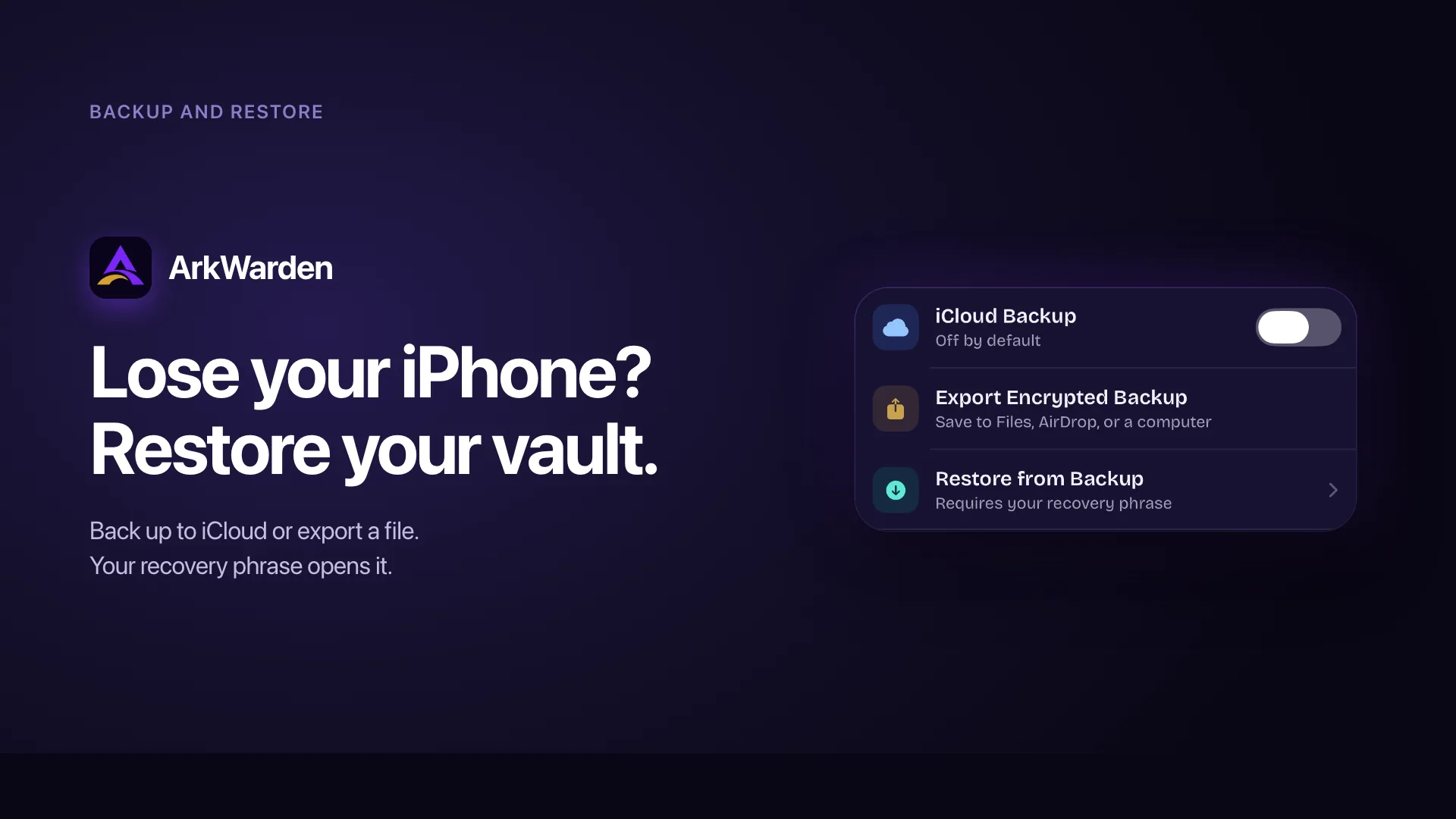
iCloud backup
To your own iCloud
Stored in your iCloud, counts toward your iCloud storage
Restored with your Apple ID and your recovery phrase
Exported file
To Files or AirDrop
A file you save to Files, AirDrop, or a computer
Restored with your recovery phrase, on any device
How a backup is made, and how you restore it.
A backup is an encrypted copy of your vault, taken at the moment you make it. It is not a live copy that updates as you go: files you add after a backup are not in it until the next backup runs. The same encrypted copy can go to your iCloud or to a file you keep. Either way, the encryption happens on your phone first, and your recovery phrase is what opens it again.
You turn backup on, or you do not
Backup is off by default. Nothing leaves your device until you choose it. When you are ready, you turn on iCloud backup in Settings, or you export a backup file. If you do neither, your vault stays only on your phone, with no cloud copy and no file.
You can turn iCloud backup off at any time. Turning it off removes the backup from iCloud, so the copy stops existing there.
ArkWarden encrypts the backup on your phone
Each file stays encrypted with AES-256-GCM under the random master key used by your vault. PBKDF2 turns your recovery phrase into a separate key that protects the master key for restore. This happens on your iPhone before anything is uploaded or exported.
There is no separate backup password. On your own iPhone, your pattern and Secure Enclave protection open the master key. During restore, your recovery phrase opens it from the backup. What leaves your device is already encrypted and unreadable without the phrase.
The encrypted copy goes where you send it
The same encrypted copy can travel two ways:
- iCloud. The backup is stored in your own iCloud, in your own iCloud storage. ArkWarden has no server in between.
- A file you export. You save it to Files, send it over AirDrop, or move it to a computer. You decide where the file is stored.
Both carry the same encrypted data. Whichever you use, the contents are encrypted before they leave the phone, so the place where the backup is stored never receives anything readable.
You restore with your recovery phrase
When you set up ArkWarden on a phone, you can restore your vault from a backup with your recovery phrase. Your pattern opens the vault on your own phone day to day, but a backup is always opened with the recovery phrase. The steps are below.
If your phone is lost, you can restore your files.
Your phone is gone, and your vault was backed up. Here is what happens on the next one. You can restore on a new phone or on the same phone after a reinstall.
Install ArkWarden and choose Restore
Install ArkWarden from the App Store and choose Restore. For an iCloud backup, the phone needs to be on the same Apple ID you used when you backed up, and ArkWarden finds the backup in your iCloud for you. For an exported file, you pick the file, and no Apple ID is needed.
Enter your recovery phrase
Type the 12 or 24 words you wrote down when you set up your vault. ArkWarden makes the same key from those words and uses it to open the backup. Your pattern does not open a backup. The recovery phrase does.
Set a new pattern for this phone
You draw a new pattern for the new phone. Your files are not encrypted again, because the master key inside has not changed. Only the pattern you draw each day is new. Your recovery phrase keeps working too.
Your files come back
ArkWarden checks the phrase, backup information, and encrypted indexes before it replaces the local vault. If a check fails, your existing vault stays in place. ArkWarden then saves the files to the phone one by one. A later storage error can interrupt that file installation. Throughout the process, Apple receives only encrypted ArkWarden data and never sees your vault files in plaintext.
Or skip iCloud. Keep the backup as a file.
The same encrypted backup can be saved as a file instead of going to iCloud. Save it to Files, send it over AirDrop, or move it to a computer. It is the same encrypted copy, opened the same way, with your recovery phrase.
Two ways to keep a backup, one encrypted copy
Whether the backup goes to your iCloud or stays as a file you keep, it is the same encrypted copy, made the same way, opened with the same recovery phrase. iCloud is the hands-off option: ArkWarden keeps the copy current and finds it for you when you restore. A file is the independent option: it does not depend on iCloud, and it is still there even if your iCloud data is removed. You can use one or both.
A file does not need an Apple ID
An iCloud backup is tied to your iCloud account, because Apple stores it. A file you export is not. Move it to any iPhone with ArkWarden, no matter which Apple ID is signed in, and your recovery phrase opens it. The recovery phrase is what opens a backup, not your account.
A provider-managed backup keeps the key. ArkWarden does not.
A provider-managed backup keeps control of the key so an account reset can restore access. ArkWarden encrypts the backup on your iPhone and never sends Apple or ArkWarden the key needed to decrypt your vault contents.
Who controls the key is what matters
Under Apple's Standard Data Protection, Apple stores the encryption keys in its data centres so it can help recover your data. A provider-managed vault also keeps or controls the keys used for recovery. ArkWarden adds its own encryption before upload and keeps the ArkWarden decryption key away from both Apple and ArkWarden.
| Standard iCloud | A provider-managed cloud vault | ArkWarden | |
|---|---|---|---|
| Who holds the key | Apple under Standard Data Protection | The provider or its account recovery system | Only you |
| When your files are encrypted | In transit and at rest | Before or after upload, under provider-controlled keys | On your phone, before anything leaves |
| What the company can read | Apple can decrypt standard-protection data for account recovery | The provider can decrypt the files | Nothing. They hold an encrypted file. |
| What a break-in exposes | Encrypted data protected by Apple's systems | Files protected by provider-controlled keys | Only encrypted data, unreadable without your phrase |
| What a court order returns | Files it can decrypt, plus account records | Data the provider can decrypt and account records | Encrypted ArkWarden data, not the ArkWarden decryption key |
| What opens your backup | Your Apple account | The provider account | Your recovery phrase, and your Apple account |
| Restore on another device | Yes, through your Apple account | Yes, through the provider account | Yes. Your Apple account and your recovery phrase, which only you hold |
You restore with the phrase, not the pattern. Here is why.
On your own phone, a wrong pattern is slowed down: after ten wrong tries, the app stops taking patterns for fifteen minutes. That delay is enforced in the app. A backup file is opened outside the app, so it gets none of that protection. The only thing protecting the file is the encryption. A drawn pattern is short, and people pick simple patterns, so a pattern could be guessed by trying one pattern after another, with nothing to slow it down. A recovery phrase is much longer: a 12-word phrase has about 128 bits, a 24-word phrase about 256. Guessing a 128-bit key is not possible with any computing power that exists today or is expected. So the backup is opened with the phrase, and your pattern stays on the phone, where that fifteen-minute delay can protect it.
Apple stores the backup. Apple cannot read it.
Your vault files stay encrypted with their random master key. On your iPhone, PBKDF2 turns the recovery phrase into a separate key that opens the master key during restore. Apple stores the backup, but Apple and ArkWarden never receive the ArkWarden key needed to decrypt your vault contents. Apple staff cannot read those contents. Someone who obtained the iCloud copy would get ciphertext, not your files in plaintext. A court order can make Apple turn over the encrypted backup and available account records, but not an ArkWarden decryption key Apple never receives. The vault contents remain ciphertext. This is not only a policy statement. It is what the encryption enforces.
The honest trade-off
End-to-end encryption means we cannot read your files, and it also means we cannot get them back for you. A design where no one else can read your files cannot also let us recover them. We chose the first. Without a backup, a lost phone means the vault is gone. With a backup, you can get the vault back, as long as you have your recovery phrase. We will not oversell this: without the recovery phrase, no one can open the backup, including us.
What is in a backup, and what is left out.
A backup carries what the recovery phrase needs to reach your files, and nothing that would weaken it. The pattern is left out on purpose, so a copied file cannot be attacked through it.
| Item | In the backup? | Why |
|---|---|---|
| Your encrypted files | Yes | The point of the backup. Each file stays AES-256-GCM encrypted. |
| The master key, encrypted with your phrase-derived key | Yes | So your recovery phrase can open it on the new device |
| The pattern-encrypted key | No | Including it would let someone guess the short pattern against the file |
| Your recovery phrase | No | The phrase is not included in the backup or sent to Apple or ArkWarden. You hold the recovery copy. |
| Face ID, PIN, or YubiKey setup | No | These are tied to the specific device and cannot move. You set them up again after restore. |
Restore checks your phrase before it changes your vault
Restore does not delete your current vault first. ArkWarden checks the phrase, backup information, and encrypted indexes before it removes anything on the device. If one of these checks fails, restore stops and your current vault stays in place. A later storage error can still interrupt file installation after replacement starts.
Why the key derivation stays inside Apple's frameworks
The key is made with PBKDF2 at a high iteration count, using Apple's audited cryptography. This keeps the backup inside the same boundary as the rest of ArkWarden's encryption, with no outside crypto added. The strength comes from the recovery phrase: an auto-generated phrase is fully random, which is what keeps a backup file unreadable.
Two-factor authentication is not in the backup
Face ID and Touch ID are tied to the Secure Enclave of the device they were set up on. A YubiKey is tied to its physical hardware. A PIN is stored only in your device's Keychain. None of these can move to another device, so none of them are in a backup. After you restore, you set up two-factor authentication again on the new device. This is on purpose: a second factor proves this device is yours, so it is always set up on the device itself, not carried in a backup.
Wing files are in the backup, the Wing pattern is not
If your backup contains Wing, the Wing files are included, encrypted the same way as your main vault, and Wing is turned back on after restore. The Wing pattern is not in the backup, for the same reason the main pattern is left out: it is short, and including it would let someone guess it against the file. After restore, you set a new Wing pattern in Settings, then Wing, then Change Wing Pattern, and your Wing files open with it.
The recovery phrase is what restores a backup. Keep it safe.
A backup protects your files from everyone else. To restore one, you reach the copy in iCloud or your exported file, and enter your recovery phrase. Without the phrase, the copy cannot be opened, even when you have the file. These habits keep the backup working when you need it.
Do
- Write down your recovery phrase and keep it somewhere safe. It is the only thing that opens a backup on a new device. No phrase, no restore.
- Make a new backup after you change your recovery phrase. A backup can only be opened with the phrase that was set when you made it. After you change your phrase, make a fresh backup so it matches.
- Keep your own exported file if you want a second copy. An exported backup does not depend on iCloud, so it is still there even if your iCloud data is removed.
- Treat your phone as the main copy. An iCloud backup is an extra copy, not a replacement. Your phone always holds the working vault.
Avoid
- Counting on a backup when your recovery phrase is lost. A backup with no phrase cannot be opened by anyone, including us.
- Expecting someone to recover it for you. There is no reset link and no support path that can open a backup. The math that keeps everyone else out keeps us out too.
- Thinking a weak custom phrase is as safe. If you chose your own short phrase instead of an auto-generated one, that weakens the backup, because a weak phrase can be guessed no matter how strong the encryption is.
- Treating "delete vault" as "stop backing up." Deleting the vault in Settings removes everything, including the iCloud backup. To test a lost phone, delete the app instead, which leaves the iCloud backup in place to restore from.
What people usually ask next.
Is backup mandatory?
Do I restore with my pattern or my recovery phrase?
Can Apple read my backup?
Can ArkWarden read my backup?
What if I lose my recovery phrase?
Can someone guess their way into the backup?
Can I restore on another device or Apple ID?
If I change my recovery phrase, do my old backups still work?
Does the iCloud backup count against my iCloud storage?
How often does it back up to iCloud?
What happens if Apple deletes my iCloud data?
Does the backup use a different key than my vault?
Is my two-factor authentication part of the backup?
Is Wing part of the backup?
Situations where a backup matters.
What we do not promise about backup
- If you lose your recovery phrase, the backup cannot be opened, by anyone, including us. That is the point. If we could open it for you, so could a court order or a stolen copy.
- An iCloud backup depends on your iCloud account. If Apple closes it or you run out of storage, the iCloud copy is gone. Your phone still has the vault, and a file you exported is separate from iCloud.
- A backup is a copy taken at one moment, not a live copy. Files you add after the last backup are not in it until the next backup runs.
Standards the backup encryption is built on.
The backup uses the same published cryptography as the rest of ArkWarden. Each link points to the primary source.
- FIPS 197. Advanced Encryption Standard (AES). National Institute of Standards and Technology. csrc.nist.gov
- NIST SP 800-38D. Recommendation for Block Cipher Modes of Operation: GCM. National Institute of Standards and Technology. csrc.nist.gov
- NIST SP 800-132. Recommendation for Password-Based Key Derivation. National Institute of Standards and Technology. nvlpubs.nist.gov
Back up your vault.
Restore it when you need it.
Back up your vault to iCloud or export it as a file. The backup is encrypted on your phone before it leaves. You restore it with your recovery phrase, and an iCloud restore also uses your Apple ID. Apple cannot read it, and neither can we. Backup is off by default.

Point your camera at the code.