One pattern opens your vault.
Another opens Wing.
Wing is a second vault with its own pattern, its own name, its own icon, and its own files. When you draw your main pattern, your main vault opens. When you draw the Wing pattern, Wing opens instead. Both patterns open a real vault. Only the one you choose to draw appears.
Main vault
Amber Ridge
Your main vault
Draw this pattern
Wing
Cedar Mist
Your Wing vault
Draw a different pattern
From two patterns to two parallel vaults.
Wing is not a hidden mode you turn on and off. It is a fully functional second vault that opens with its own pattern. You access it with the same pattern grid you already use for your main vault. The difference is which pattern you draw.
You set up your Wing pattern
Wing is opt-in. From Settings, you turn on Wing, draw a new pattern that is different from your main pattern, confirm it, and Wing is ready. ArkWarden refuses to accept the same pattern for both, so the two vaults cannot accidentally use one pattern.
You also pick what Wing should look like when it is open: its display name, its icon, its color. None of these settings use a "decoy" label. Wing presents itself as an ArkWarden vault, because that is what it is.
You decide what goes inside Wing
Wing is a working vault, not a placeholder. You import real files into it. Photos, videos, documents, audio. Anything you would put in your main vault, you can put in Wing.
What you put inside matters. A useful Wing contains real files that make sense to store in a vault. It is not meant to be empty.
You unlock the vault you choose to unlock
At the lock screen there is one input: the pattern grid. There is no toggle for "use Wing today." There is no second screen that asks which vault you want. You just draw a pattern.
- Draw your main pattern. Your main vault opens.
- Draw your Wing pattern. Wing opens.
- Draw a pattern that is neither. Nothing opens, and the grid clears.
From the outside, the three outcomes are indistinguishable except by what the screen shows next. The lock screen does not indicate which vault a pattern belongs to.
The emergency trigger, if you want it
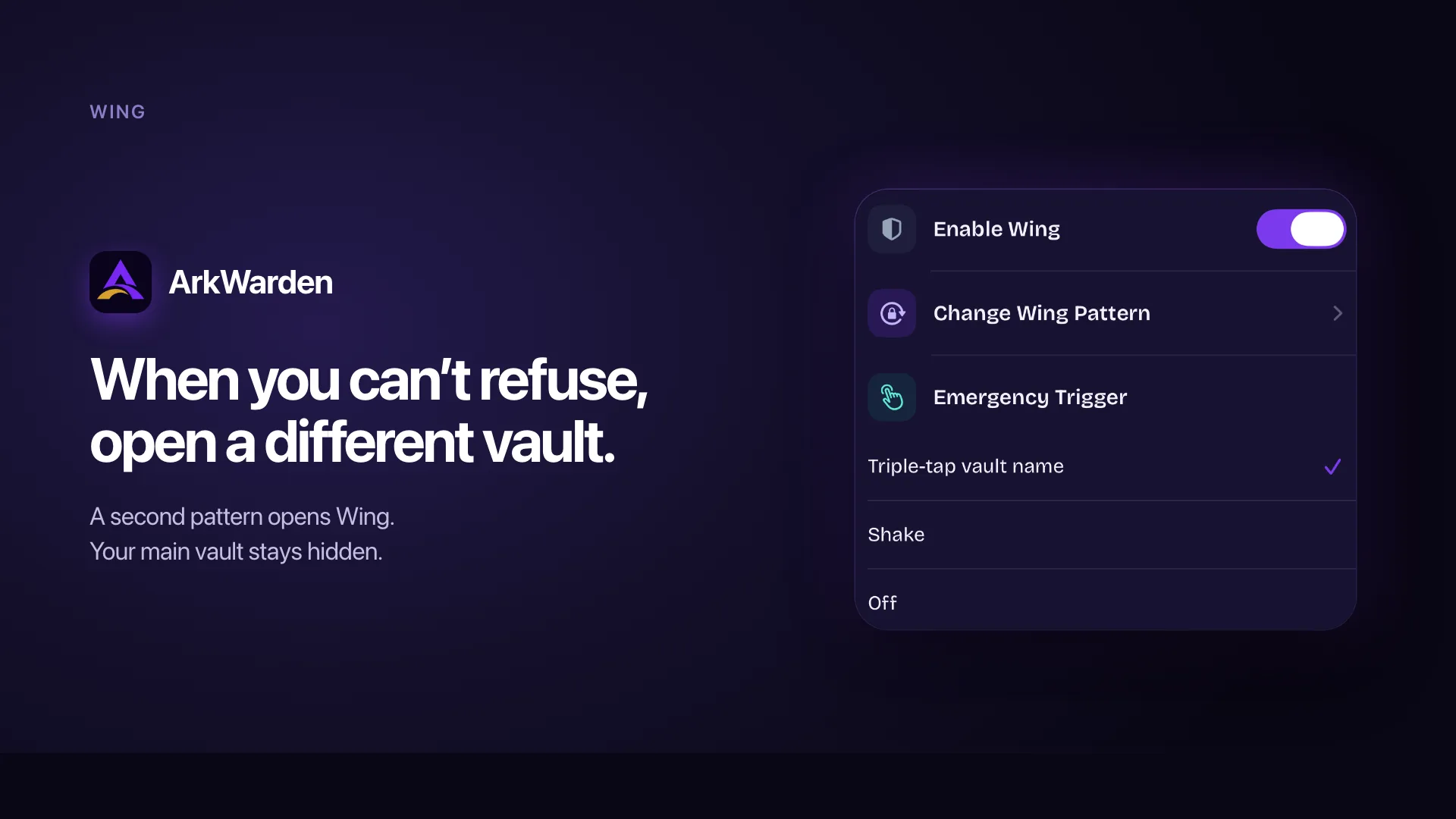
Wing also supports an emergency trigger you can configure in Settings. While your main vault is open, performing the trigger immediately switches you into Wing. The triggers available are:
Triple-tap
Triple-tap on the vault name. A small gesture that can be mistaken for an accidental tap.
Shake
Shake the phone. Useful for demos and situations where the device is already in motion.
Off
No trigger at all. Wing is only reachable through the lock screen.
The emergency trigger exists for the case where you are already inside your main vault and the situation changes. Instead of locking and drawing the Wing pattern on purpose, you switch to Wing in one gesture. This only works in the direction of main vault to Wing. There is no equivalent shortcut from Wing back into your main vault: opening the main vault always requires drawing the main pattern.
Why a parallel vault is not the same as a hidden folder.
"Hidden" features in most apps rely on the observer not knowing where to look, which stops helping when they learn how the feature works. Wing gives ArkWarden a second answer to the question "open your vault." Both answers are vaults. Both contain files. Neither pattern reveals that the other exists.
| A hidden folder | A "decoy mode" toggle | A second account in another app | Wing in ArkWarden | |
|---|---|---|---|---|
| What it actually is | A folder hidden in the UI, still visible to file tools | A switch the app exposes, often detectable in settings | An additional login, often visible in account switchers | A fully functional vault with its own pattern and its own files |
| What the observer sees when opened | The hidden folder, once they find the toggle | A limited decoy with visible "decoy" UI | An empty or sparse account | A working vault with real files, real navigation, real categories |
| Requires its own credential | No. Same unlock opens both. | Often no. Same login. | Yes, a separate login | Yes. A separate pattern. |
| Can the observer interact with it? | Sometimes | Limited | Yes | Yes. Browse, scroll, view files. The vault is real. |
| Same gesture opens both | No. User must expose the hidden folder. | No. User must flip a visible switch. | No. User must log out and in. | Yes. The pattern grid is the same. Only the shape differs. |
A second vault gives you a second real answer.
Hidden folders rely on the observer not asking the right follow-up question. The moment they say "are you sure that is everything," there is no good option. Wing changes the answer. You are not hiding a folder. You are showing the vault that opens with the pattern you drew. That is a true statement.
Wing looks like an ArkWarden vault, because it is one.
There is no decoy badge, no watermark, no demo banner, no "you are in safe mode" indicator. Wing has its own name, icon, and color, the same import flow, the same categories, the same playback. An observer scrolling through Wing has no in-app cue that anything else exists.
The two vaults do not share a credential.
Wing uses its own master key, unlocked by the Wing pattern. Drawing the Wing pattern does not open your main vault. Unlock runs separately for each pattern, and the Wing master key can never open your main vault. Read more about how pattern unlock and encryption works.
How the two vaults stay genuinely independent.
Wing's design uses a small number of clear decisions. The separation between the two vaults is not only visual. It is enforced by the same unlock path and authenticated decryption that already protects your main vault.
| Main vault | Wing | |
|---|---|---|
| Pattern | Your main pattern | Your Wing pattern, must differ from the main pattern |
| Unlock path | PBKDF2 and Secure Enclave against the main pattern | PBKDF2 and Secure Enclave against the Wing pattern |
| Master key storage | Main master key wrapped for pattern unlock, in the Keychain | Wing master key wrapped separately for the Wing pattern |
| Display identity | Your chosen name, icon, color | Wing's own name, icon, color, set during Wing setup |
| Files | Your main vault's files | Wing's own files, tagged at import time |
| Two-factor authentication | Optional. Face ID, PIN, or YubiKey. | Not applied. Wing opens directly with the Wing pattern. |
The unlock decision, with Wing enabled
At the lock screen, here is the order of events when you lift your finger after drawing a pattern:
ArkWarden runs the unlock calculation on the pattern you drew.
It tries to unwrap the Wing key with the result. If that succeeds, Wing opens with no indication that it was Wing rather than the main vault.
If it does not succeed, it tries to unwrap the main vault's master key. If that succeeds, the main vault opens and any second factor you have set runs next.
If neither unwrap succeeds, the grid clears and you can try again. No error message distinguishes a wrong pattern from one that matched the other vault.
The order means a Wing pattern always opens Wing, a main pattern always opens the main vault, and an unrelated pattern opens nothing. The Wing pattern unlocks only the Wing master key, so there is no scenario in which drawing the Wing pattern exposes the main vault.
Two-factor authentication and Wing
Two-factor authentication, when you have it enabled, protects your main vault after the pattern succeeds. Wing is designed for situations where speed and natural behavior matter. A second factor prompt before Wing would defeat the purpose. So Wing opens directly when you draw the Wing pattern.
Anyone who knows your Wing pattern can open Wing, with no biometric or hardware check. Wing's contents should reflect this. Put plausible files in Wing. The main vault is what your second factor exists to protect. Wing does not have its own recovery phrase. If you can unlock the main vault, you can set a new Wing pattern from Settings without deleting the Wing files.
Turning Wing off
Turning off Wing from Settings permanently deletes the Wing pattern, the Wing key, every file stored in Wing, and Wing's identity (its name, icon, and color). Your main vault and every file you have stored in it are unchanged. ArkWarden shows a clear confirmation before this happens so you understand exactly what will be deleted.
What people usually ask next.
Is Wing required?
Can I open both vaults at the same time?
Does Wing share files with the main vault?
Will deleting Wing delete my main vault?
Can the Wing pattern be the same as the main vault pattern?
Does the second factor (Face ID, PIN, YubiKey) also apply to Wing?
Will Wing show up in the App Switcher with its real name?
Can I configure what trigger switches into Wing?
Does ArkWarden indicate anywhere that I am in Wing?
Can I change the Wing pattern later?
What happens if I forget my Wing pattern?
Situations where Wing matters.
A second vault
when you need it.
Wing lets you create two separate vaults using two different patterns. Each vault contains its own files. Only one vault can be opened at a time, depending on the pattern you draw. You choose which vault to access each time.

Point your camera at the code.